

customization
Custom Fields
Extend your CRM with unlimited custom fields for any data your business needs.
- Plans from $150/user/year
- Cancel anytime
- Unlimited
- Fields
- 15+
- Field Types
- Full
- Flexibility
Overview
What is Custom Fields in SalesTub?
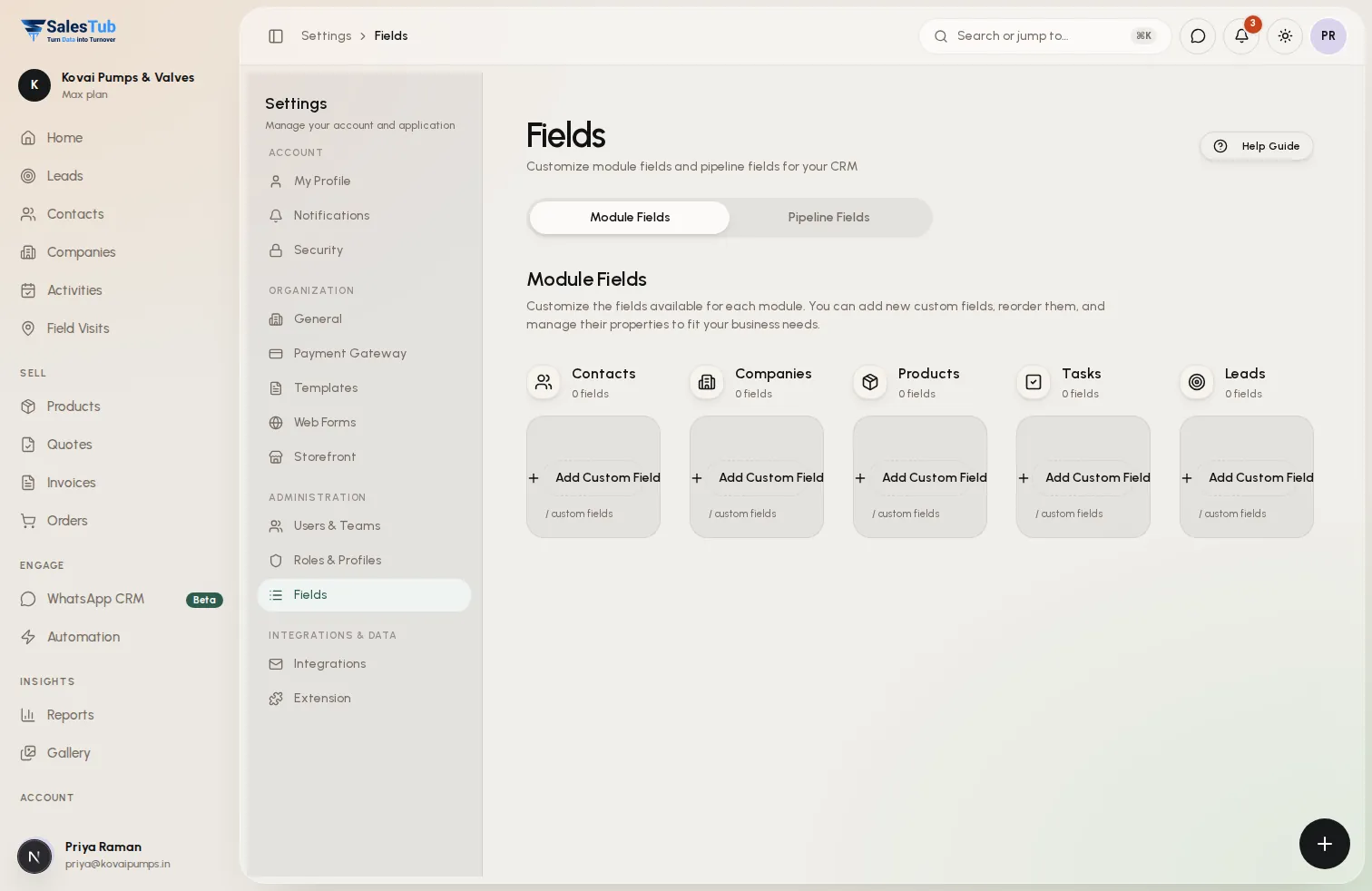
Every business is unique—your CRM should be too. Create unlimited custom fields on contacts, companies, deals, and leads to capture exactly the data you need. Choose from text, numbers, dates, dropdowns, multi-select, checkboxes, formula fields, and more. Build the CRM that fits your business, not the other way around.
- Unlimited custom fields on any module
- Multiple field types: text, number, date, dropdown, etc.
- Formula fields for calculated values
- Field validation rules to ensure data quality
- Conditional visibility based on other field values
- Field dependencies and cascading dropdowns
- Required vs optional field settings
- Field grouping and section organization
- Searchable and filterable custom fields
How it works
Up and running in 3 steps
- 1
Choose Field Type
Select from text, number, date, dropdown, multi-select, checkbox, formula, file upload, URL, and more. Each type has appropriate validation.
- 2
Configure Settings
Set field label, default value, validation rules, required/optional, and visibility conditions. Group fields into logical sections.
- 3
Use Everywhere
Custom fields appear in forms, detail views, lists, filters, and reports. Export them, search by them, and use in automation.
Use cases
Built for how you sell
Whether you sell to businesses or consumers, at a counter or in the field, SalesTub adapts to your process — not the other way round.
Industry-Specific Data
Real estate? Add property type and square footage. Manufacturing? Add product specs and certifications. Capture the unique data your industry requires.
Compliance Requirements
Add fields for regulatory data, consent tracking, or certification expiry dates. Ensure you capture everything auditors need.
Sales Process Customization
Track deal-specific information like competitor mentions, decision criteria, or internal champion details. Whatever helps you close deals.
Integration Data
Store external system IDs, sync statuses, or integration-specific metadata. Keep all related data in one place.
For the whole team
One tool, every role
Business owners
See exactly where revenue comes from, which channels convert and what will close this month.
Sales managers
Assign leads instantly, watch team activity live and make sure no follow-up is ever missed.
Sales reps
Less data entry, more selling — every lead, call and message in one place, on web and mobile.
Works with
Connected to the tools you already use
- Import/Export
- API Access
- Automation Rules
- Report Builder
- Form Layouts
- List Views
- Search Filters
- Webhooks
FAQ
Custom Fields: questions
How many custom fields can I create?
There's no limit. Create as many custom fields as your business requires across all modules—contacts, companies, deals, leads, products, and more.
What field types are available?
Text, long text, number, currency, date, datetime, dropdown, multi-select, checkbox, formula, phone, email, URL, user lookup, record lookup, and file attachment.
Can fields calculate values automatically?
Yes! Formula fields can perform calculations based on other fields. Calculate commissions, mark-ups, days between dates, or any custom formula.
Can I make fields required?
Yes. Set any field as required. Records can't be saved without filling required fields. You can also make fields conditionally required based on other values.
Do custom fields work in reports?
Absolutely. Filter, group, and summarize by custom fields. Include them in any report or dashboard. Custom fields are first-class data.
Can I import data into custom fields?
Yes. Map CSV columns to custom fields during import. Export data including custom fields. API access also supports custom field data.
Explore more of SalesTub
All featuresContact Management
Organize and manage all your customer relationships in one central hub with powerful search and filtering.
Lead Management
Capture, qualify, and convert leads faster with automated lead scoring and intelligent routing.
WhatsApp CRM
A shared WhatsApp inbox linked to every lead, with approved templates, broadcast campaigns and a chatbot.
Put Custom Fields to work today.
Get started in minutes. Cancel anytime. No long-term contracts.
- Setup in 5 minutes
- No long-term contracts
- Cancel anytime
Or take SalesTub with you