
Sales
Custom Sales Pipelines
Create unlimited pipelines tailored to your unique sales processes and products.
- Plans from $150/user/year
- Cancel anytime
- Unlimited
- Pipelines
- Custom
- Stages
- Flexible
- Workflows
Overview
What is Custom Sales Pipelines in SalesTub?
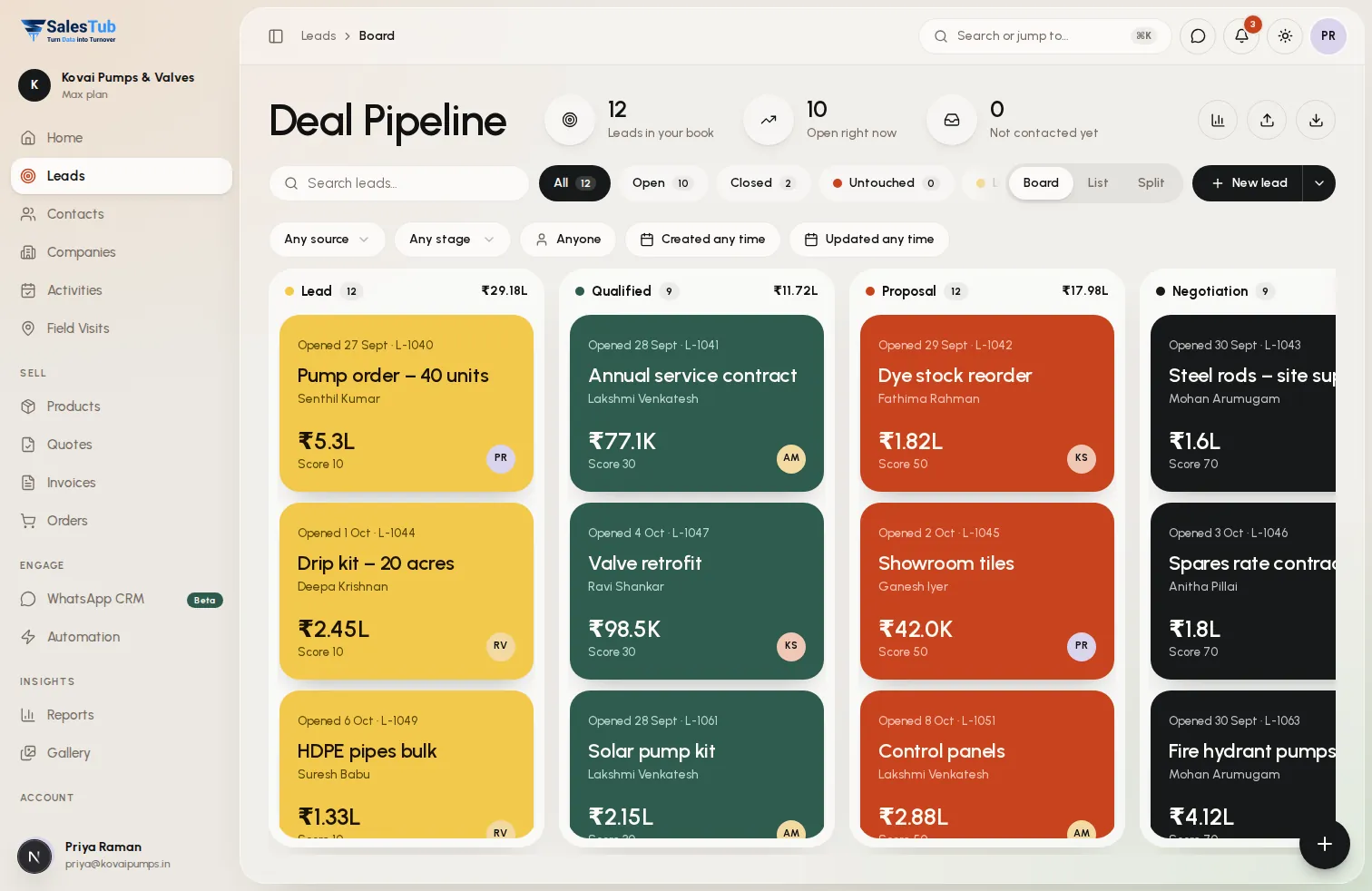
Every product, service, and team has a different sales journey. Create unlimited custom pipelines with your own stages, fields, and rules. A software license sale moves differently than a consulting engagement—so why force them into the same pipeline? With SalesTub, design the perfect sales process for every scenario.
- Create unlimited sales pipelines with no restrictions
- Define custom stages for each pipeline's unique flow
- Add pipeline-specific custom fields for relevant data
- Set stage-specific automation rules and triggers
- Visual Kanban boards for intuitive deal management
- Pipeline-level analytics and conversion reports
- Assign pipelines to specific teams or products
- Clone existing pipelines as starting templates
- Archive inactive pipelines without losing data
How it works
Up and running in 3 steps
- 1
Create Pipeline
Start fresh or clone an existing pipeline. Give it a name, select a team, and begin customizing the stages.
- 2
Define Stages
Add, remove, or rename stages to match your sales process. Set win probabilities and expected durations for each stage.
- 3
Customize & Automate
Add pipeline-specific fields, configure automation rules, and set team assignments. Start creating deals immediately.
Use cases
Built for how you sell
Whether you sell to businesses or consumers, at a counter or in the field, SalesTub adapts to your process — not the other way round.
Multi-Product Companies
Separate pipelines for each product line. Software sales have demo and trial stages. Hardware sales have sampling and logistics stages. Each optimized for its journey.
Sales & Renewals
New business pipeline focuses on prospecting and closing. Renewal pipeline focuses on health checks and expansion. Different processes, different stages.
Regional Sales Teams
Each region or country has its own pipeline with localized stages. pipeline includes discussions. Export pipeline includes shipping stages.
Partner vs Direct Sales
Direct sales pipeline has demos and negotiations. Partner pipeline has channel management and deal registration. Track both without confusion.
For the whole team
One tool, every role
Business owners
See exactly where revenue comes from, which channels convert and what will close this month.
Sales managers
Assign leads instantly, watch team activity live and make sure no follow-up is ever missed.
Sales reps
Less data entry, more selling — every lead, call and message in one place, on web and mobile.
Works with
Connected to the tools you already use
- Automation Engine
- Custom Fields
- Team Management
- Analytics Dashboard
- Activity Tracking
- Email Integration
- Notifications
- API Access
FAQ
Custom Sales Pipelines: questions
How many pipelines can I create?
There's no limit! Create as many pipelines as you need for different products, teams, or processes. Each pipeline is fully independent with its own stages and settings.
Can I move deals between pipelines?
Yes. Deals can be moved between pipelines while preserving history. Stage mapping helps translate stages during the move so nothing is lost.
Can different teams have different pipelines?
Absolutely. You can assign pipelines to specific teams. Sales reps only see pipelines assigned to their team, keeping things clean and focused.
Do pipelines have separate reports?
Yes. Every pipeline has its own conversion funnel, stage duration analysis, and win/loss reports. You can also view cross-pipeline comparisons.
Can I customize fields per pipeline?
Yes. Each pipeline can have its own custom fields. Software deals might track license type while service deals track engagement duration.
What happens if I delete a pipeline?
You can archive pipelines instead of deleting them. Archived pipelines hide from active use but preserve all historical deals and data for reporting.
Explore more of SalesTub
All featuresLead Management
Capture, qualify, and convert leads faster with automated lead scoring and intelligent routing.
WhatsApp CRM
A shared WhatsApp inbox linked to every lead, with approved templates, broadcast campaigns and a chatbot.
Deal Pipeline
Visualize and manage your sales pipeline with customizable stages and real-time forecasting.
Put Custom Sales Pipelines to work today.
Get started in minutes. Cancel anytime. No long-term contracts.
- Setup in 5 minutes
- No long-term contracts
- Cancel anytime
Or take SalesTub with you