
One shared inbox for the whole team
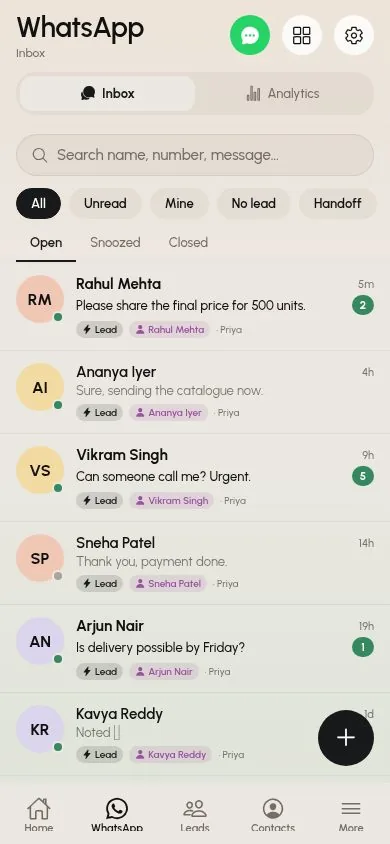
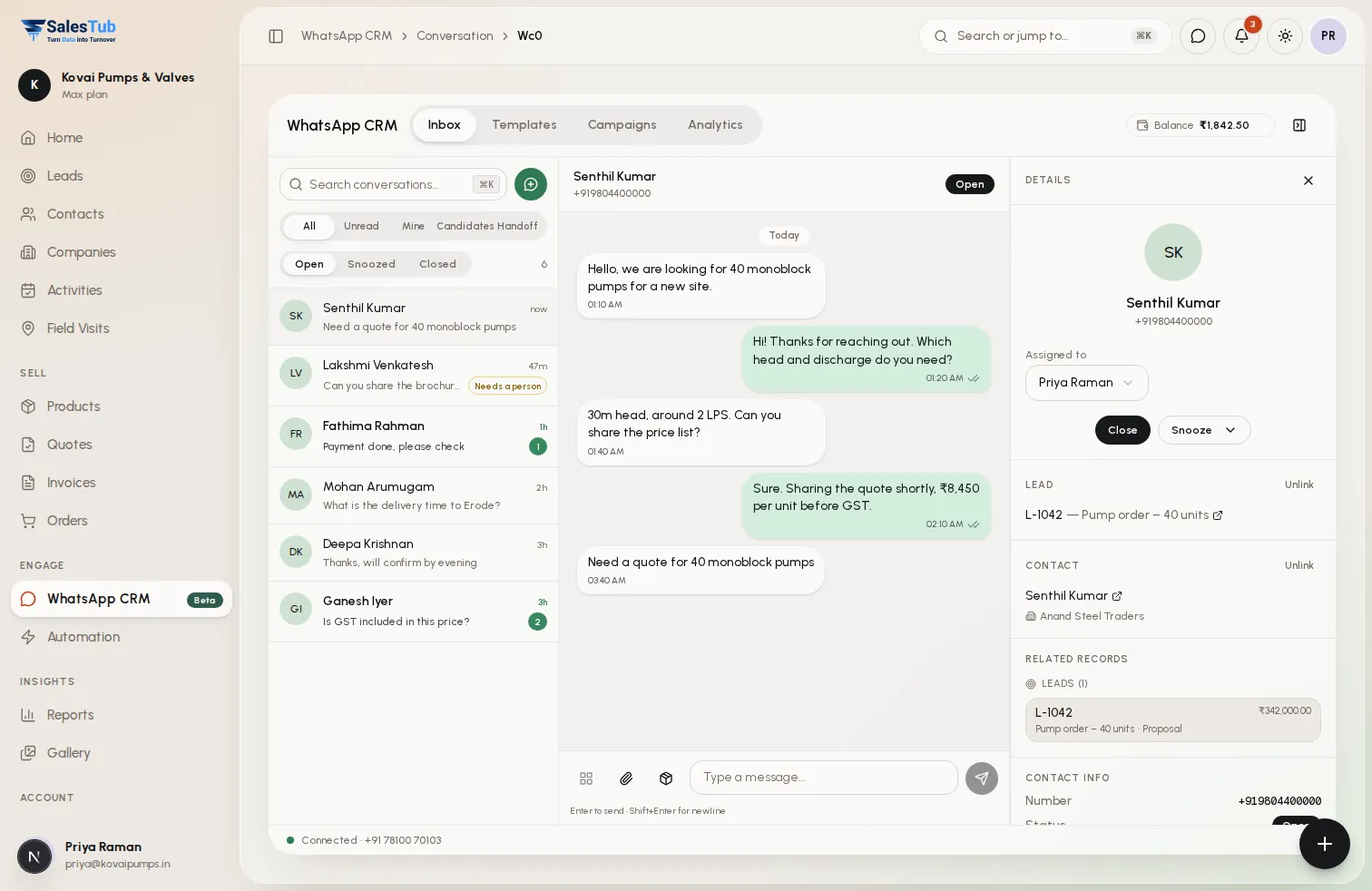
Every WhatsApp chat lands in one inbox. Assign it, snooze it or close it — with the customer's lead and history open right beside the conversation.
Sales
Every WhatsApp conversation in one shared inbox, linked to the lead — with approved templates, broadcast campaigns and a chatbot built in.
Overview
A WhatsApp CRM connects your WhatsApp Business number to your sales pipeline. In SalesTub, every chat lands in a shared team inbox, links to the matching contact and lead, and can be assigned, snoozed or closed. Approved message templates re-open conversations after WhatsApp's 24-hour window, campaigns broadcast to filtered audiences with delivery reports, and on the Max plan a chatbot answers enquiries around the clock and hands over to your team.
Inside WhatsApp CRM
The real SalesTub screens your team works in — on the web and in the iOS and Android apps.
Every WhatsApp chat lands in one inbox. Assign it, snooze it or close it — with the customer's lead and history open right beside the conversation.
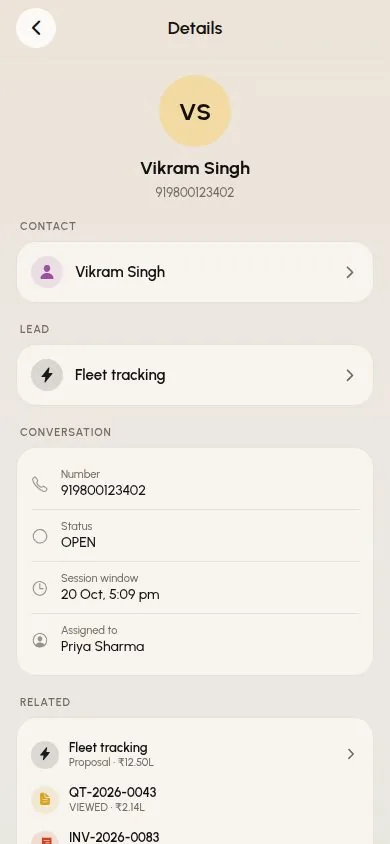
Conversations link to the matching contact and lead, so quotes, deals and notes are one tap away.
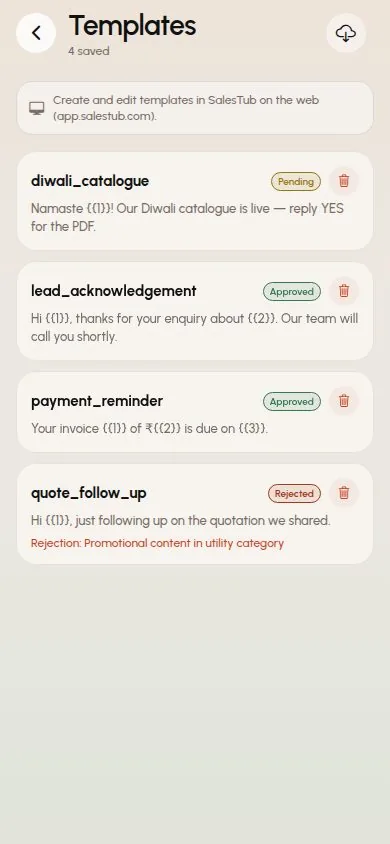
Build templates with buttons, variables, carousels or products, submit them for WhatsApp approval and track every status. Approved templates re-open chats after the 24-hour window.
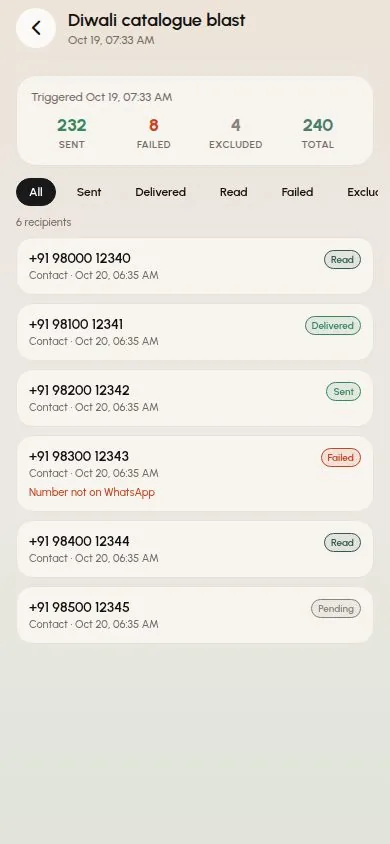
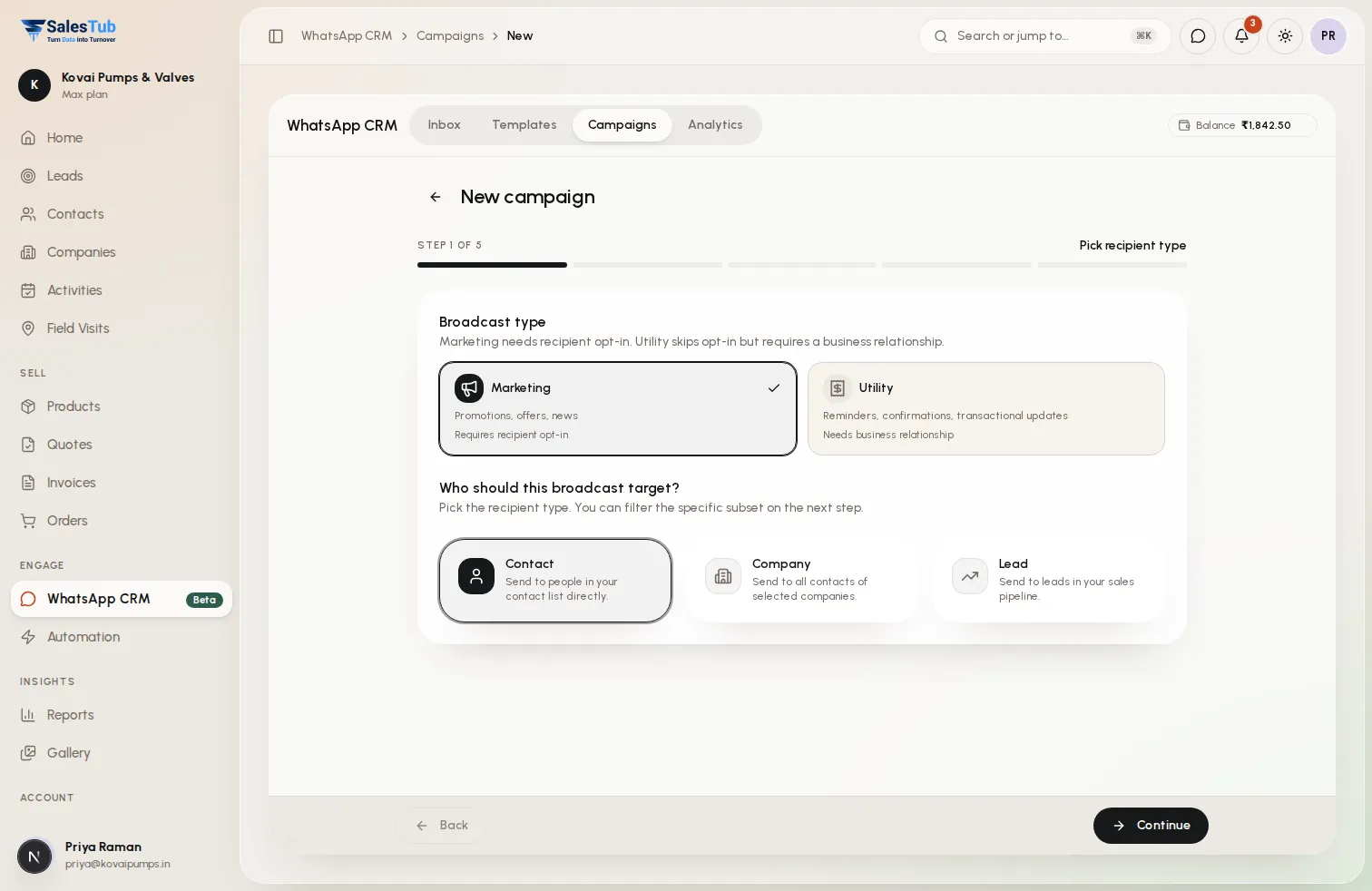
Broadcast approved templates to filtered contacts, companies or leads — now, on a schedule or on repeat — and see who received and read every message. Opt-outs are respected automatically.
Menus, buttons and questions that reply 24/7, save the lead and pass the chat to a person the moment one is needed.

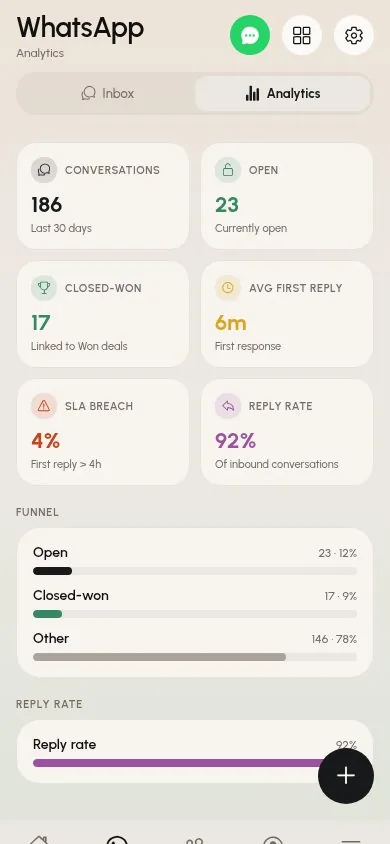
Conversations, first-reply time, SLA breaches and reply rate — for the whole team, on web and mobile.
How it works
Link your WhatsApp Business number to SalesTub. Conversations start flowing into the shared inbox.
Chats link to the matching contact and lead. Assign them to reps, reply with templates or products, and close them when done.
Get templates approved, send campaigns to filtered audiences, and on Max let the chatbot handle the first reply.
Use cases
Whether you sell to businesses or consumers, at a counter or in the field, SalesTub adapts to your process — not the other way round.
Share one WhatsApp number across the sales team. Every rep sees who owns a chat, and nothing gets answered twice — or not at all.
Open the lead from the conversation, send the quotation and follow up with an approved template once the 24-hour window has closed.
Send a catalogue launch to active customers or a monthly payment reminder on repeat, then check exactly who received and read it.
On Max, the chatbot greets new enquiries with menus and questions, saves the lead and hands the chat to a person in the morning.
For the whole team
See exactly where revenue comes from, which channels convert and what will close this month.
Assign leads instantly, watch team activity live and make sure no follow-up is ever missed.
Less data entry, more selling — every lead, call and message in one place, on web and mobile.
FAQ
A WhatsApp CRM puts your WhatsApp Business conversations inside your customer database, so every chat is tied to a contact and a deal, shared with your team and measured — instead of living on one person's phone.
The WhatsApp inbox, templates and campaigns are included in the Pro and Max plans. The WhatsApp chatbot is part of the Max plan.
Yes. The inbox is shared, so your whole team works from one number. Conversations can be assigned to a rep, snoozed or closed, and everyone can see who owns each chat.
WhatsApp only allows free-form replies within 24 hours of the customer's last message. After that, you re-open the conversation with an approved template, which SalesTub lets you pick and send from the chat.
Yes. Contacts who opt out are excluded from campaigns automatically, and every run shows how many recipients were sent, delivered, read, failed or excluded.
The chatbot runs on menus, buttons and questions you design. Optional AI answers from your catalogue and FAQs are available using your own Anthropic API key.
Yes. The SalesTub iOS and Android apps include the WhatsApp inbox, conversation details, templates, campaigns and analytics.
Capture, qualify, and convert leads faster with automated lead scoring and intelligent routing.
Visualize and manage your sales pipeline with customizable stages and real-time forecasting.
Create professional invoices and quotes with your branding and track payments seamlessly.
Get started in minutes. Cancel anytime. No long-term contracts.
Or take SalesTub with you